Record
Capture WAV samples on iPhone the second you hear something useful.
Wireless sampling for music makers
AirSampler turns your iPhone into a pocket sample crate. Record anything that sparks a track, sync it to your Mac, then preview, edit, chop, and drag it into your DAW.
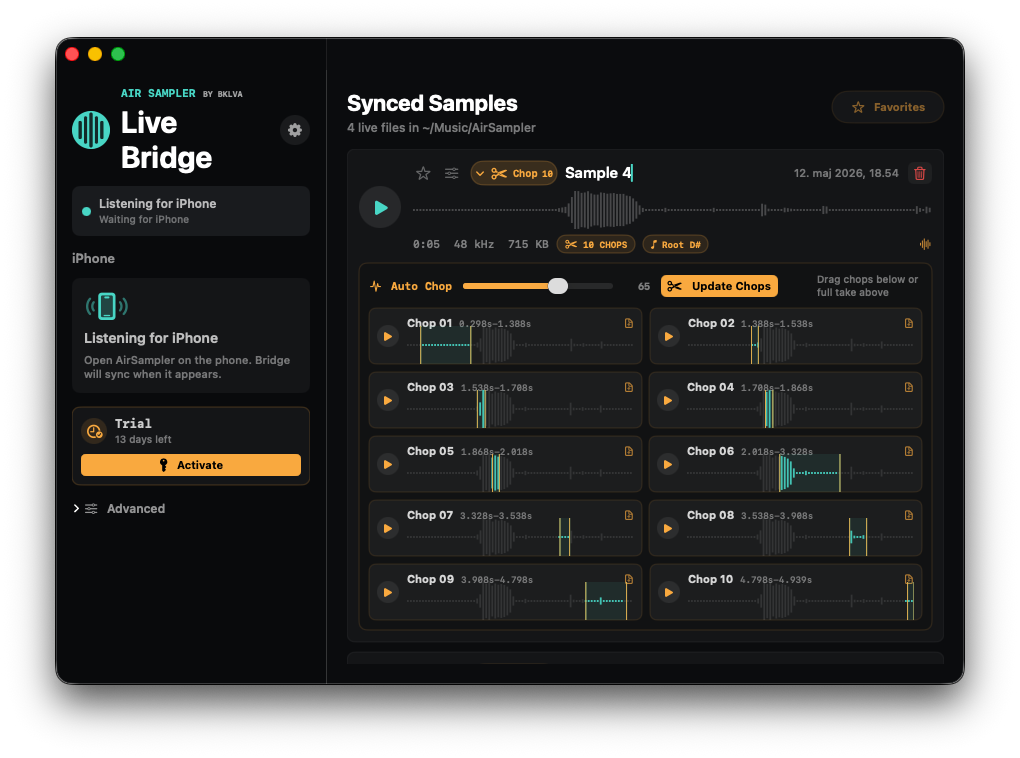
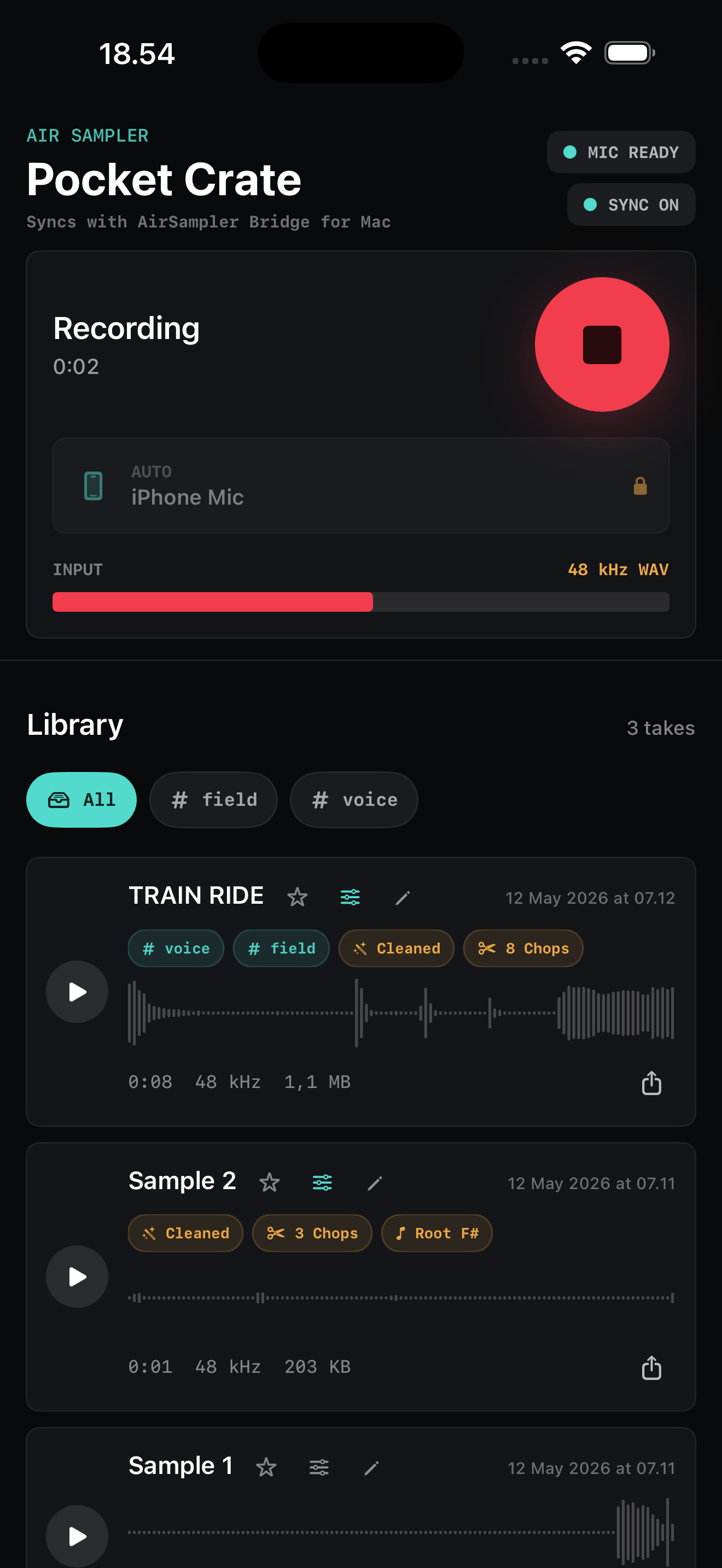
Capture WAV samples on iPhone the second you hear something useful.
Pair once with Bridge and sync over your local Wi-Fi.
Preview, rename, favorite, trim, fade, clean, normalize, and chop.
Browse in the AU plugin and drag WAVs or chops into your DAW.
Never miss what inspires you
You do not always know what a sound is for when you hear it. AirSampler is built for catching the moment first, then shaping it when you are back in the session.
Catch a phrase on the fly and chop it into playable fragments at home.
Announcements, rolling bags, chimes, room tone. Instant atmosphere.
Cups, plates, espresso hiss, chairs, voices, and weird little transients.
Bounces, squeaks, net snaps, and gym reverb with real movement.
Hum a melody, tap a beat, or save a hook before it disappears.
Workflow
AirSampler is built around one simple path. Catch the sound first, then decide what it becomes when you are back at the Mac.
Get the free iPhone app and install AirSampler Bridge on Mac.
Keep both devices on the same Wi-Fi and enter the pair code once.
Tap record on iPhone or start quickly from the Home Screen widget.
Preview, rename, favorite, trim, fade, clean, normalize, or chop in Bridge.
Open the AU plugin or Bridge and drag the sample or chop into your DAW.
Mac Bridge + AU plugin
The free iPhone app is the recorder. The paid Mac bundle includes AirSampler Bridge and the AU plugin, so your synced samples are browsable directly inside your DAW.
Paid Mac bundle
14-day trial
$59 regular
Buy once for Mac. Activate with a license, keep the iPhone recorder free, and use Bridge plus the AU browser in your studio.
Code auto-applied: LAUNCH39
Free iPhone app
AirSampler for iPhone works as a fast recorder and local sample library by itself. When the Mac side is ready, it syncs with AirSampler Bridge for Mac.
Download on App Store App Store